

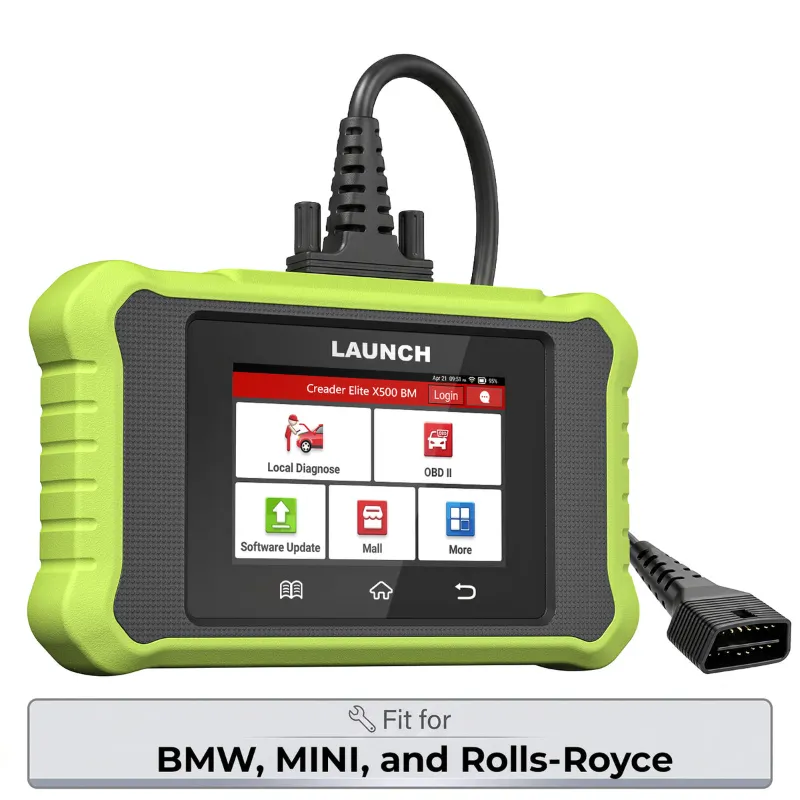
The Launch Creader Elite is a handheld OBD2 code reader that plugs into your car's diagnostic port, pulls the stored fault code behind a check engine light, and lets you clear it once the fault is actually fixed. It is the fastest way to find out whether that amber light means a loose gas cap or a real repair bill. Below we cover setup, reading and clearing codes, how it compares to bigger Launch scanners, and the boring-but-important stuff like software updates, licensing, and where to buy a genuine unit.
What the Launch Creader Elite Actually Does
Think of it as a translator. Your car's computer already knows what went wrong and stores a code for it. The Launch Creader Elite reads that code, shows you the description, and gives you the option to erase it after the repair.
- Reads stored and pending codes so you see a fault before the light even stays on
- Clears codes and turns off the check engine light
- Shows freeze frame data so you can see what the engine was doing when the fault triggered
- Reads live data such as RPM, coolant temperature, and sensor voltages on supported vehicles
That is the honest scope of a code reader. If you need module-level diagnostics like airbag or ABS fault tracing across many brands, you want a step up. Here is the real split:
Code reader vs full diagnostics
| Tool type | Best for | Trade-off |
|---|---|---|
| Code reader like the launch creader elite | Check engine light, emissions codes, quick fault checks | Focused on engine and emissions systems |
| Mid-range launch scanners | Multi-system faults, live data graphing | Higher cost, steeper learning curve |
| Full launch car scanner | Shops, deep diagnostics, frequent use | Overkill for a driveway DIYer |
Most home mechanics get everything they need from the code reader tier. If you already own several cars or help friends on weekends, the jump to a full diagnostic scanner pays for itself quickly.
Setup and First Use: Vehicle Compatibility Check
Setup takes minutes, but do the compatibility check first so you are not guessing.
- Confirm your car is OBD2 compliant. In the US this generally means model year 1996 or newer for petrol cars. Look for the 16-pin port under the dash, usually within arm's reach of the driver's seat.
- Plug the launch code scanner into the port with the ignition off, then switch the ignition to the ON position without starting the engine.
- Let the tool power up and identify the vehicle. Many units auto-detect the protocol, but confirming the make, model, and year gives you cleaner code descriptions.
- Run a scan before you touch anything else. You want the original codes on screen before you clear them, and ideally photographed with your phone.
If the tool cannot connect, that is usually a blown cigarette-lighter or DLC fuse, not a broken reader. Check that fuse before you assume the worst.
How to Read a Check Engine Code Step by Step
Reading codes is the part people overthink. The sequence matters more than the tool.
- Scan with the engine off but ignition on. Idle vibration does not hurt anything, but a steady state gives you a cleaner read.
- Write the codes down. Every one, including pending codes. You will want them if the light comes back.
- Look at freeze frame data. It tells you the conditions at the moment of the fault, which is often the clue that cracks the case.
- Search the code, not the symptom. P0420 and P0171 sound equally scary and mean completely different things.
- Fix first, clear second. Clearing a code without a repair just resets the clock. The light returns, usually at the worst possible moment before an inspection.
A useful habit: after any repair, drive a full drive cycle before you trust the result. Many states require the monitors to be "ready" before an emissions test, and clearing codes resets them.
How to Clear Codes and When Not To
Clearing a code on the Launch Creader Elite is a two-button job: select the erase function and confirm. The light goes out immediately if no active fault remains. But clearing is not always the right move.
- Clear after a confirmed repair. Good practice, and it lets you verify the fix.
- Do not clear right before an emissions test. Reset monitors will fail you just as fast as a stored code.
- Do not clear to "make the light go away" on a car you are about to sell. That is how buyers end up with someone else's problem.
- Do clear a code that was set by a one-off event, like a loose fuel cap, after you fix the actual cause.
Scanner Model Comparison: Which Launch Fits Your Garage
Model comparison is where most buyers get stuck, so keep it simple. Match the tool to how often you will use it and how deep you want to go.
| Model | Who it suits | Why |
|---|---|---|
| Launch Creader Elite | One or two household cars, DIY fault checks | Reads and clears codes without a learning curve |
| Launch scanners (mid tier) | Enthusiasts, older or fussy vehicles | Broader system coverage and live data |
| Best car scanner 2025 picks | People who want the current generation | Newer hardware and update support |
If you are buying for a single daily driver, the launch creader elite is the sensible stop. If you are chasing an intermittent fault on a car with 180,000 miles, spend more and get the launch scanners tier. And if you want to see what the current crop looks like, browse our shortlist of the best car scanner 2025 options.
Software Updates, Licensing, and Subscription Terms
This is the section nobody reads until something stops working, so read it now.
- Software updates are how you get new code definitions and vehicle coverage. Check the manufacturer's update tool periodically rather than waiting for a fault the reader cannot name.
- Licensing and subscription terms vary by model. Some functions are included for life, others are tied to a subscription. Confirm what is included before you buy, not after.
- Do not update mid-diagnosis. Finish the job, then update. An interrupted update on a cheap cable is a bad afternoon.
For current pricing and the 12% OFF All Orders offer, grab the code here before checkout. It is worth two minutes.
Buying Genuine: Verification, Warranty, Returns, and Shipping
Counterfeit diagnostic tools are common, and they fail in confusing ways. A few checks keep you safe.
- Genuine product verification: buy from an authorized seller, keep the packaging and serial number, and register the device if the manufacturer offers it.
- Warranty and repair support: coverage differs by model and region, so confirm the terms on the product page rather than assuming.
- Returns and refunds: check the window before you open the box, and keep the original packaging until you have scanned your car successfully.
- Shipping and delivery: order well before a road trip or inspection date, not the week of.
Buying through a seller that publishes these terms is the practical version of verification. You can check the latest price and offer details on our Launch discount page, and if you want the full multi-system route instead, the launch car scanner listing is the place to compare.
The short version: the Launch Creader Elite will not rebuild your engine, but it will tell you what your car is complaining about, in English, in about ninety seconds. That is a genuinely useful thing to own.
 Shopping at LAUNCH US? See today's verified LAUNCH US discount code
Frequently asked questions
Will the Launch Creader Elite work on my car?
It works on OBD2-compliant vehicles, which in the US generally means 1996 and newer for petrol cars. Check for the 16-pin diagnostic port under the dash and confirm your model year before buying.
Can I clear a check engine light with a launch code scanner without fixing anything?
Yes, the erase function will turn the light off, but the code returns once the fault is detected again. Clearing without a repair mainly resets the clock and also resets emissions readiness monitors.
Is a launch creader elite enough, or do I need full diagnostics?
For check engine and emissions codes on a daily driver, it is enough. Step up to a multi-system scanner if you need airbag, ABS, or transmission fault tracing across several vehicles.
How do I get software updates for Launch scanners?
Updates come through the manufacturer's PC or app update tool and refresh code definitions and vehicle coverage. Finish any active diagnostic job before updating, and confirm whether your model's functions are included or subscription-based.
How do I verify I am buying a genuine Launch scanner?
Buy from an authorized seller, keep the serial number and packaging, and register the device if the manufacturer allows it. Also read the warranty, returns, and shipping terms before checkout.
Why does my scanner fail to connect to the vehicle?
The most common cause is a blown DLC or cigarette-lighter fuse, not a faulty reader. Check that fuse and confirm the ignition is in the ON position with the engine off.