

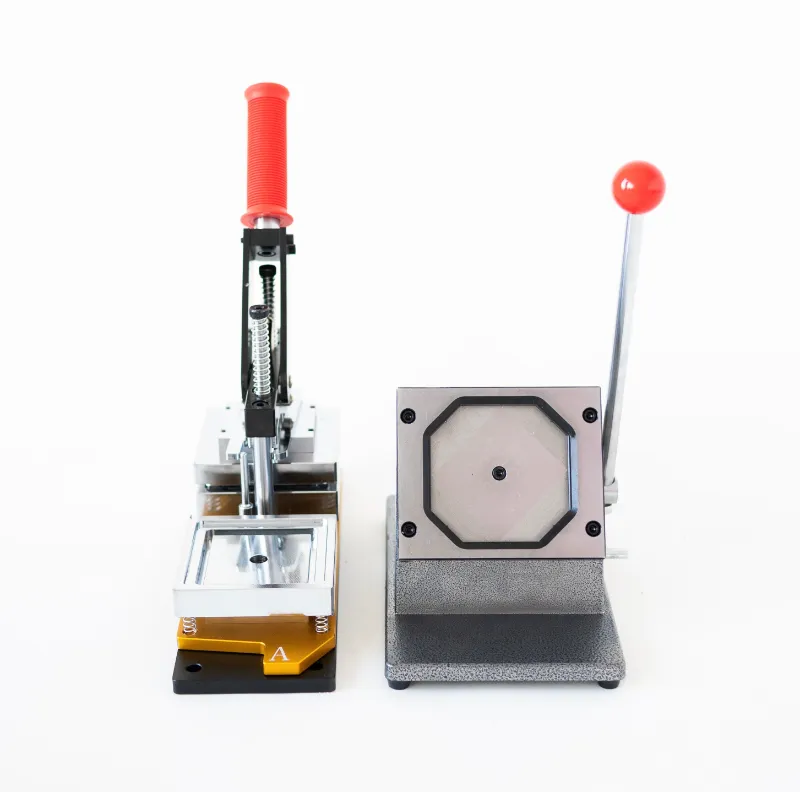
Which setup actually fits your photos?
A magnet maker machine suits anyone printing photo fridge magnets regularly at a fixed size, while a magnet making kit suits people who print in bursts, want mixed sizes, or are buying their first setup. We tested both from Memory Magnets Co., and the honest answer is that the right pick has less to do with price and more to do with how often you print and what size your photos are.
Here is how the two setups differ in practice, and where each one earns its place on your counter.
How magnet makers work: the two different ideas
Both products turn a printed photo into a photo magnet, but they get there in different ways.
- The magnet maker machine is a dedicated unit. You load a magnetic photo print into the machine, it applies the adhesive magnetic backing and trims or presses to a consistent finish. Same motion every time, so the output stays consistent.
- The magnet making kit is a manual setup. It bundles the sheets, backing, cutting templates and instructions, and you assemble each magnet by hand with a squeegee or roller.
Neither is "better" in the abstract. The machine wins on repeatability and speed. The kit wins on flexibility and up-front cost, and it lets you work with sizes a fixed machine cannot handle.
If you are still working out whether you even want a device, the magnet maker page is the simplest starting read.
Photo size compatibility: measure before you buy
This is the single spec that decides which product you should own, and it is the one people skip.
| Setup | Best for | Size flexibility |
|---|---|---|
| magnet maker machine | Frequent printing, one or two standard sizes | Fixed formats |
| magnet making kit | Occasional printing, mixed sizes | Cut-to-size by hand |
Before ordering, measure the actual print area of the photos you plan to use. Phone snapshots, instant prints, and lab-printed 4x6s are all different shapes, and a machine built around one format will not magically accept another. The kit approach handles odd sizes because you trim the magnetic sheet to the print.
Our rule of thumb: if more than 80 percent of your photos are the same size, the machine is the better buy. If you are printing a mix, keep a kit around too.
Kit contents explained, and what the machine does not include
Kits are attractive because everything arrives in one box. A typical kit contains:
- Printable magnetic sheets or photo paper with an adhesive backing
- A cutting guide, trimmer or template set
- A roller or squeegee for bubble-free adhesion
- Instructions covering setup and first print
The photo fridge magnets format is the most common thing people build with a kit, and it is a good place to start because the sizing is forgiving.
What the machine does not include is your printer. The magnet maker machine handles the magnetic side of the job, not the ink. Budget for a decent inkjet and quality photo paper if you do not already have one, because print quality is the ceiling on the whole result.
Setup and first print: what to expect
Setup is the least scary part of both options.
- Machine: unbox, plug in, run a test cycle with a blank sheet to check alignment, then print your first photo and adjust the feed if the trim looks off. Expect to spend 10 to 20 minutes before your first usable magnet.
- Kit: read the template sheet, print at the recommended size, let the ink dry fully, peel and apply the backing, then roll from the centre out to push air out.
The most common first-print mistakes are printing before the ink is dry and rushing the adhesion step. Both show up as smudges or trapped bubbles that will not come out.
For guidance on paper and ink settings, the magnet photo range lists what each sheet type is designed for.
Print quality tips that matter more than the device
- Use the highest photo quality setting your printer offers and match the paper profile to the sheet type.
- Let prints cure for several minutes before they touch adhesive backing.
- Clean the roller or machine rollers between batches, since dust is the main cause of specks under the surface.
- Store finished magnetic photo prints flat and away from direct heat, which warps both the print and the magnet layer.
If the finished magnet looks dull, the fix is almost always paper and ink settings, not the photo magnet maker machine.
Supplies and refills: the cost that keeps going
Neither setup is a one-time purchase. You will keep buying magnetic sheets, photo paper, and ink.
- Kits consume sheets and backing in proportion to how many magnets you make, and the per-magnet cost drops with bulk packs.
- Machines consume the same consumables, but the fixed format means less waste from trimming errors.
Work out your realistic monthly volume before you commit. Twenty magnets a month is a very different budget from a few hundred, and it is where the machine starts to pay for itself.
For current pricing on machines, kits and refills, check the latest price before you order, since the running offer changes what the maths looks like.
Shipping, returns and support before you commit
A few practical checks we make on every order:
- Shipping and delivery: confirm the estimated window covers your first project. Consumables that arrive late are the usual complaint.
- Returns and warranty: machines carry warranty terms that kits do not. Read the window and what voids it before opening every seal.
- Customer support options: for a machine, you want a support channel that answers setup questions. For a kit, the documentation does most of the work.
Memory Magnets Co. publishes its policies on the product pages, so check them on the listing for the item you are buying rather than relying on a general summary.
Who each setup suits
Buy the magnet maker machine if:
- You make photo fridge magnets on a schedule, for gifts, a small shop or an event.
- Your photos are mostly one or two standard sizes.
- You want consistent edges without learning a trimming technique.
Buy the magnet making kit if:
- You are trying this out for the first time.
- You want mixed sizes, odd shapes or one-off designs.
- You would rather spend time than money up front.
Buy both if: you print standard sizes in volume but still get asked for custom shapes. It is a common combination and not a waste.
Whichever you pick, the magnetic photo prints you feed it decide the final quality more than the hardware does. Start with good paper and let the machine or kit do the rest.
When you are ready to order, grab the code first. The current offer is $50 off all orders, which meaningfully changes the comparison on a machine.
 Shopping at Memory Magnets Co.? See today's verified Memory Magnets Co. discount code
Frequently asked questions
Do I need a separate printer for a magnet maker machine?
Yes. The machine handles the magnetic backing and finishing, not the printing itself. You still need an inkjet printer and photo-quality paper to produce the image that goes into it.
Can the magnet making kit handle photo sizes a machine cannot?
That is its main advantage. Because you trim the magnetic sheet by hand against a template, the kit can handle odd shapes and small formats that a fixed-format machine will not accept.
How many magnets do I need to make before the magnet maker machine is worth it?
It depends on your volume and how much you value consistent edges. If you make photo fridge magnets regularly for gifts, events or a small shop, the machine usually justifies itself faster than if you print a handful a few times a year.
What supplies will I need to keep buying?
Magnetic sheets or adhesive backing, photo paper and ink. Both the machine and the kit use the same kinds of consumables, so compare bulk pack pricing rather than the up-front device cost alone.
Why do my finished photo magnetic prints look dull?
Almost always paper and printer settings. Use the highest quality photo mode, match the paper profile to the sheet type, and let prints dry fully before you apply the magnetic backing.
Is there a discount on the magnet maker machine?
Memory Magnets Co. runs periodic offers, and the current one is $50 off all orders. Check the store coupon page for the live code and pricing before you buy.