
RS232 Adapters Explained: When a Serial Accessory Still Makes Sense for Modern TESmart Setups

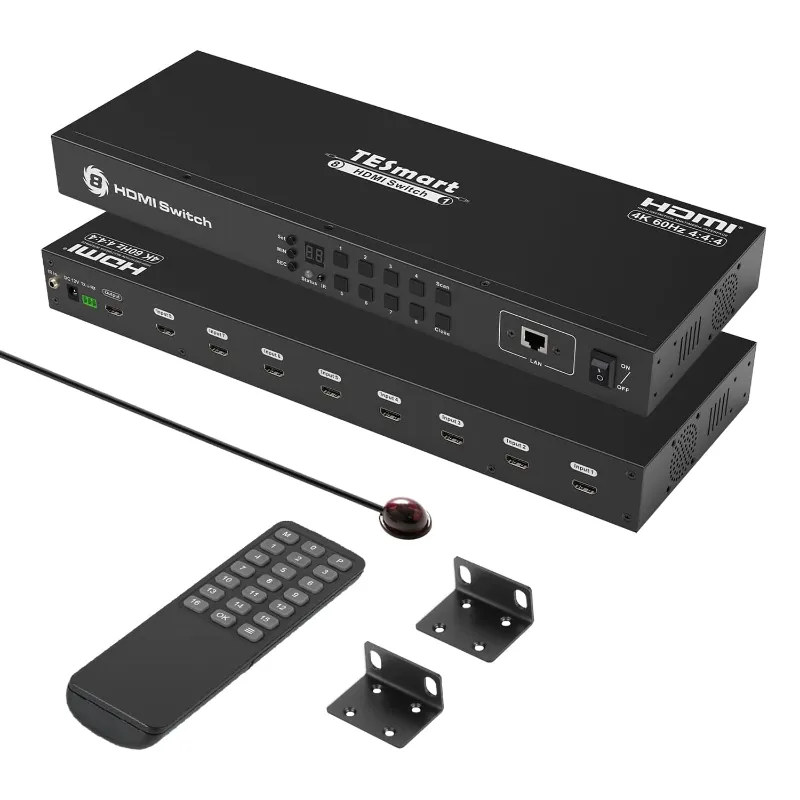
A TESmart kvm can still benefit from RS232 when you need reliable control, automation, or integration with older AV and industrial gear. For most home desks, USB switching is enough, but serial control remains useful when a setup needs predictable commands instead of another app, driver, or remote. In this guide, we’ll explain where the rs232 accessory fits, how it compares with USB 3.0 and USB 2.0 accessories, and what to check before you buy.
Where RS232 Fits In A TESmart kvm Setup
RS232 is a serial communication standard used to send simple commands between devices. In a modern KVM layout, it is not usually there for speed. It is there for control.
That matters when you want a switch to respond to a fixed command from a control processor, a security desk, a rack-mounted workstation, or a room automation system. Instead of pressing a front-panel button or using a remote, an RS232 command can tell the switch which input to show.
It can make sense for:
- AV racks where the switch is hidden behind a display wall or cabinet
- Control rooms where users need repeatable source changes
- Lab benches with legacy serial equipment
- Office setups where a facilities or IT team manages display routing
- Mixed systems where USB accessories and video switching must be coordinated
If you are researching a TESmart kvm, check the store page and manual for the exact control options before buying. Product names can look similar, and not every model supports the same ports, hotkeys, display outputs, or automation features.
RS232 Vs USB 3.0, USB 3, And USB 2.0: What Each One Actually Does
A common mistake is treating RS232 like another USB port. It is not. RS232 is mainly for command and control, while USB is used for keyboards, mice, webcams, storage, audio interfaces, and other peripherals.
| Connection | Best For | What To Check |
|---|---|---|
| RS232 | Serial control commands and automation | Cable type, command format, supported models |
| USB 2.0 | Basic keyboard, mouse, and low-bandwidth accessories | Compatibility with hotkeys and simple peripherals |
| USB 3.0 or USB 3 | Faster peripherals such as capture gear or storage | Whether the KVM supports the needed speed and device type |
For everyday switching, a usb 3.0 accessory is more relevant if you move higher-bandwidth devices between computers. USB 2.0 is often enough for a keyboard and mouse, especially when stability matters more than transfer speed. RS232 sits outside that decision. It helps the switching system obey commands, not carry your webcam feed or file transfer.
If you want the technical background, the Telecommunications Industry Association maintains standards information for serial communication, and this TESmart KVM switch reference can be useful as a starting point for seeing how these products are commonly positioned online. Always confirm final details on TESmart’s own product and manual pages.
When A Serial Accessory Is Worth Buying
RS232 is worth considering when the switch will be part of a bigger system instead of a simple desktop toggle. We look for it when a buyer needs control that is physical, scriptable, and repeatable.
Good use cases include:
- Conference rooms: A wall panel or controller changes sources without someone finding a remote.
- Broadcast or production desks: Operators switch between workstations while keeping a consistent display path.
- Security monitoring: A supervisor can route a workstation to a shared screen from a central controller.
- Testing benches: Engineers can script source changes while checking devices, displays, or firmware.
- Industrial workstations: Older machines and modern computers may need to share screens and input devices.
It is less useful if you only need to swap one keyboard, one mouse, and one monitor between two laptops. In that case, compare USB support, monitor compatibility, and hotkey behavior first. If a current coupon matters, use our TESmart page to check the latest price rather than relying on a number quoted in a blog post.
Choosing Between A KVM Switch, HDMI Switch, And Control Setup
A KVM switch, an HDMI switch, and an RS232 accessory solve different problems. Mixing them up is the fastest way to buy the wrong box.
| Product Type | Main Job | Best Fit |
|---|---|---|
| KVM switch | Shares keyboard, video, and mouse between computers | Desks, labs, control rooms |
| HDMI switch | Routes HDMI video from multiple sources | TVs, displays, projectors |
| RS232 accessory | Sends control commands | Automation and rack control |
A kvm switch switch style setup is usually the right path when you need one desk to control several computers. An HDMI switch is better when you only need to change video sources and do not need shared keyboard or mouse control. RS232 becomes the layer that helps another system control the switch.
Display needs matter too. If you use an 8k monitor or require 8k resolution, do not assume every switch in the same brand family supports it. Check the exact video specification, refresh rate, cable requirements, and whether your graphics hardware can output the format you expect. HDMI eARC is also a separate audio return feature, so it should not be treated as a KVM feature unless a specific product page says so.
Compatibility Checks Before You Order
Before buying any serial accessory, we recommend checking the TESmart kvm manual for your exact model. A tesmart kvm switch hotkey page, quick-start sheet, or product listing may not include every detail you need for automation.
Use this checklist:
- Confirm the port: Make sure the model actually has RS232 or supports the adapter you plan to use.
- Check command support: Look for the serial command list, input selection commands, and any limits.
- Match the cable: Serial cables can differ, so verify connector type and pinout instead of assuming.
- Review USB needs: Decide whether you need USB 2.0 stability or usb 3 bandwidth for peripherals.
- Confirm display format: Match HDMI, resolution, refresh rate, and monitor count to your setup.
- Plan control location: If the switch is in a rack, confirm cable length and how you will access resets or firmware updates.
This is also where a tesmart kvm review can help, but we would treat reviews as setup clues, not specifications. Shoppers sometimes compare TESmart kvm amazon listings with the official store, but bundled accessories and model names can vary. For the code and current store offer, grab the code from our TESmart discount page before checking out.
Setup Tips For Stable Switching
Serial control is simple when the whole system is planned, but frustrating when small details are skipped. Start with the KVM working normally from the front panel or hotkey before adding automation. That gives you a clean baseline.
Practical setup tips:
- Label every input cable before the switch goes into a rack or under a desk.
- Test keyboard and mouse behavior before testing RS232 commands.
- Use short, reliable HDMI cables first, then extend only after the setup is stable.
- Keep USB receivers away from dense cable bundles if wireless devices behave oddly.
- Save the command list from the manual where the support team can find it.
- Document which command maps to each computer so future troubleshooting is faster.
If your computer relies on a thunderbolt port, remember that Thunderbolt, USB-C, HDMI, and KVM switching are not automatically interchangeable. You may need a dock, adapter, or specific cable path, and that path can affect display modes and USB behavior. Unusual accessories, such as the lg displays lsm100w lg white mouse scanner, should be tested directly because scanner-mouse devices can behave differently from a basic pointer.
Who Should Still Care About RS232
RS232 is not a must-have for every buyer, but it is still relevant for the right workspace. If your switch sits on your desk and you press a button to change computers, spend your attention on USB support, monitor compatibility, and hotkeys. If your switch sits inside a controlled system, serial support can make the whole setup cleaner.
You should care about RS232 if:
- You need a controller to switch inputs automatically.
- Your KVM will be mounted away from the user.
- You manage a room, rack, lab, or shared workstation.
- You want commands that can be documented and repeated.
- You are connecting modern displays to older control workflows.
Our bottom line: RS232 is not old for the sake of old. In a TESmart kvm setup, it is still a practical control layer when reliability, automation, and repeatable switching matter more than a flashy interface. If you are ready to compare models or use the current coupon, start with the official product pages and then check our TESmart code before you buy.
Frequently asked questions
Does RS232 replace USB 3.0 on a TESmart kvm?
No. RS232 is mainly for sending control commands, while USB 3.0 is for peripherals that need data bandwidth. Many setups may use both, depending on the KVM model and connected devices.
Do all TESmart KVM switches support RS232?
Not always. Check the exact TESmart kvm manual or product page because ports and control features can vary by model. Do not assume support based on a similar-looking switch.
When is an RS232 accessory worth buying?
It can be helpful if the switch is in a rack, conference room, control room, or automation setup. For a simple desktop with one keyboard, mouse, and monitor, hotkeys or front-panel switching may be enough.
Should I use USB 2.0 or USB 3 for peripherals?
USB 2.0 is often fine for a keyboard and mouse, while USB 3 is better for higher-bandwidth peripherals when the KVM supports it. Check the device type and the exact KVM specification before choosing.
Is an HDMI switch the same thing as a KVM switch?
An HDMI switch usually routes video only, while a KVM switch shares keyboard, video, and mouse control between computers. RS232 may be used to control either type if the device supports serial commands.