

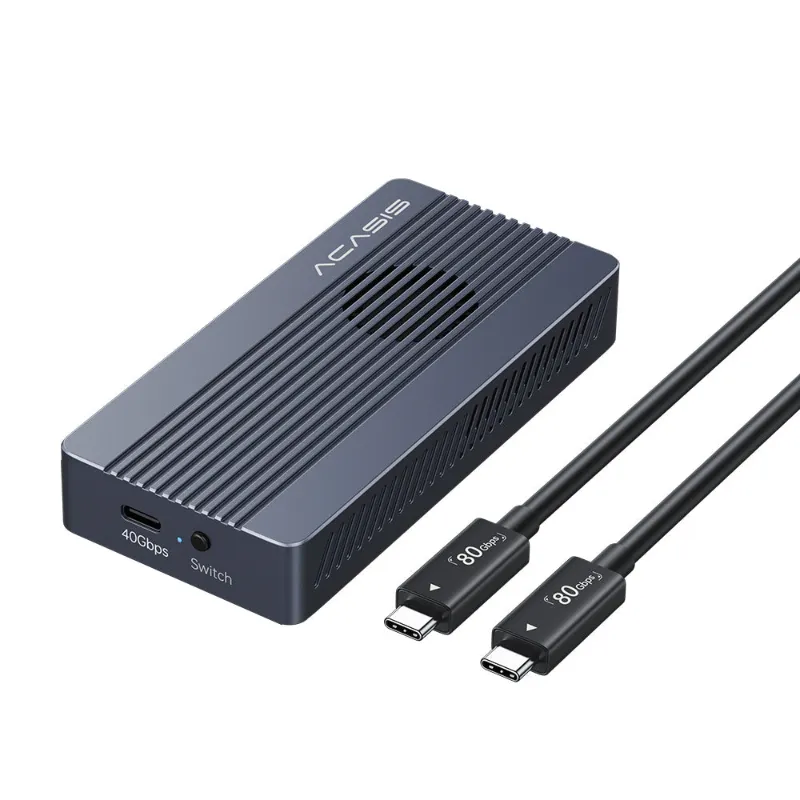
The acasis 11 ports thunderbolt 4 docking station is one of the most capable desktop hubs we have tested, and understanding why it beats a standard USB-C dock starts with knowing what Thunderbolt 4 actually delivers. If you are comparing specs between docking options or just want to know whether the upgrade is worth it, this guide cuts through the noise.
Thunderbolt 4 vs USB-C: What Actually Changes at Your Desk
Most shoppers assume USB-C and Thunderbolt 4 are interchangeable. They share the same physical connector, but the similarities stop there. Here is what sets them apart in daily use:
- Bandwidth: Thunderbolt 4 guarantees 40 Gbps bidirectional. Standard USB-C tops out at 10 Gbps in most consumer docks, with USB4 reaching 20 or 40 Gbps only on certified hardware.
- Display support: Thunderbolt 4 requires support for at least two 4K displays simultaneously, making it a reliable choice for a true Acasis dual monitor docking station setup.
- Daisy-chaining: You can chain up to six Thunderbolt devices off a single port, something USB-C alone cannot do.
- Power delivery: Thunderbolt 4 docks reliably pass through up to 100W to your laptop, so one cable handles data, video, and charging together.
- PCIe tunneling: Thunderbolt 4 tunnels PCIe lanes, which means attached NVMe drives and eGPUs get near-native speeds.
For anyone running a laptop docking station dual monitor setup, those differences are felt every single day, not just on a spec sheet.
What the Acasis 11-Port Dock Gives You
Eleven ports sounds like marketing until you actually map them to a real workspace. A setup with this dock can look like this:
- Thunderbolt 4 upstream to the host laptop
- Thunderbolt 4 downstream for daisy-chaining peripherals or an eGPU
- Multiple USB-A ports for keyboards, mice, and legacy gear
- USB-C data ports for newer accessories
- SD and microSD card slots for photographers and videographers
- Ethernet for a stable wired connection
- DisplayPort or HDMI outputs for your monitors
That port count matters most when you pair the dock with other Acasis gear. Connecting an acasis 40gbps m.2 nvme ssd enclosure over Thunderbolt, for example, saturates that 40 Gbps pipe in a way a USB-C dock physically cannot match. If you also keep an external hard drive enclosure on your desk for backups, it plugs straight in without a separate hub.
Acasis Docking Station Compatibility: What Hosts Work Best
Acasis docking station compatibility follows the standard Thunderbolt 4 rules, which is good news because it narrows the guesswork:
- Best hosts: MacBook Pro and MacBook Air (M1/M2/M3/M4), Dell XPS with Thunderbolt 4, Lenovo ThinkPad X1, HP Spectre x360
- Good hosts: Any laptop with a certified Thunderbolt 3 port (40 Gbps speeds, though some TB4-only features may not apply)
- Partial functionality: USB4 hosts get most features but without full PCIe tunneling guarantees
- Not recommended: Hosts with only USB 3.x; the dock will connect but deliver a fraction of its capability
If your machine is USB-C only, a usb c docking solution or a docking station laptop designed for USB-C will serve you better and cost less.
Comparing Acasis Docking Options Side by Side
Not everyone needs Thunderbolt 4. Here is how the main Acasis docking and hub options stack up:
| Product | Best For | Max Bandwidth | Dual 4K |
|---|---|---|---|
| acasis 11 ports thunderbolt 4 docking station | Power users, creative pros | 40 Gbps | Yes |
| laptop docking station dual monitor | Office dual-screen setups | Up to 40 Gbps | Yes |
| acasis powered usb hub | Adding ports without video needs | Up to 10 Gbps | No |
| usb splitter pc | Budget port expansion | Up to 5 Gbps | No |
If your priority is simply adding more USB ports to a desktop or laptop, the acasis powered usb hub or a multiple usb port hub is a smarter, more affordable fit. Reserve the Thunderbolt 4 dock for workflows that actually stress bandwidth: 4K video editing, fast NVMe transfers, or multi-display productivity.
Pairing the Dock With Other Acasis Peripherals
One of the practical advantages of staying within the Acasis ecosystem is that the accessories are tested to work together. A few pairings worth knowing about:
- NVMe storage: Attach an enclosure for m.2 ssd to a Thunderbolt downstream port and you get the full 40 Gbps envelope for near-desktop read and write speeds.
- Content creation: A switch capture card connected through the dock keeps your capture workflow tidy without occupying your laptop's own ports.
- Mobile users: The phone docking station for iphone can sit alongside the main dock, giving your iPhone a dedicated charging and sync spot on the same desk.
You can grab the Acasis discount code to save 10% across the full Acasis lineup when you build out that setup, which adds up quickly when you are buying a dock and two or three accessories together.
Who Should Buy the Acasis Thunderbolt 4 Dock
This dock earns its place on a desk when at least one of these applies to you:
- You run two or more external monitors from a single laptop
- You regularly transfer large files to or from an NVMe SSD enclosure
- You want one cable to handle power, video, and data simultaneously
- You daisy-chain multiple Thunderbolt devices in your workflow
- You want future-proofing as more Thunderbolt 4 peripherals enter the market
If none of those apply, a simpler docking station laptop or a powered USB hub will do the job for less money. But if even one of them describes your day, the bandwidth headroom of Thunderbolt 4 is worth every penny.
Check the latest price and available discount before you buy, as Acasis regularly updates its offers and the 10% code applies sitewide.
 Shopping at Acasis? See today's verified Acasis discount code
Frequently asked questions
Is the Acasis 11 ports Thunderbolt 4 docking station compatible with MacBooks?
Yes, it works best with MacBook Pro and MacBook Air models that include a Thunderbolt 4 port, covering M1 through the latest M-series chips. You get the full 40 Gbps bandwidth, dual 4K display support, and 100W laptop charging over a single cable.
Can I use a Thunderbolt 4 dock with a USB-C only laptop?
You can physically connect it, but you will not get Thunderbolt-level bandwidth or guaranteed dual 4K output. For USB-C only hosts, a USB-C docking station is a better-matched and more cost-effective option.
What is the difference between Thunderbolt 4 and USB4 for docking stations?
Thunderbolt 4 is a certified standard that mandates 40 Gbps bandwidth, dual 4K display support, and PCIe tunneling on every device that carries the logo. USB4 at 40 Gbps is electrically similar but manufacturers are not required to implement all those features, so performance can vary by device.
Does Acasis offer a discount code for the docking station?
Yes, our Acasis discount code page lists the current offer, which at the time of writing is 10% off all orders sitewide. It applies to the dock and any accessories you add to the same order.
Can I attach an NVMe SSD enclosure to the Acasis Thunderbolt 4 dock?
Absolutely. Connecting an Acasis 40Gbps M.2 NVMe SSD enclosure to the dock's Thunderbolt downstream port gives you the full 40 Gbps pipeline for fast file transfers, which is not achievable through a standard USB-C dock.
What is Acasis's return and refund policy if the dock does not work with my setup?
Acasis warranty and customer support details, including their return and refund policy, are listed on the official Acasis store page. We recommend reviewing those terms before purchasing, especially if you are unsure about your host laptop's Thunderbolt compatibility.