
Rexing CPW-52 Wireless CarPlay: Does It Work with Android Auto?

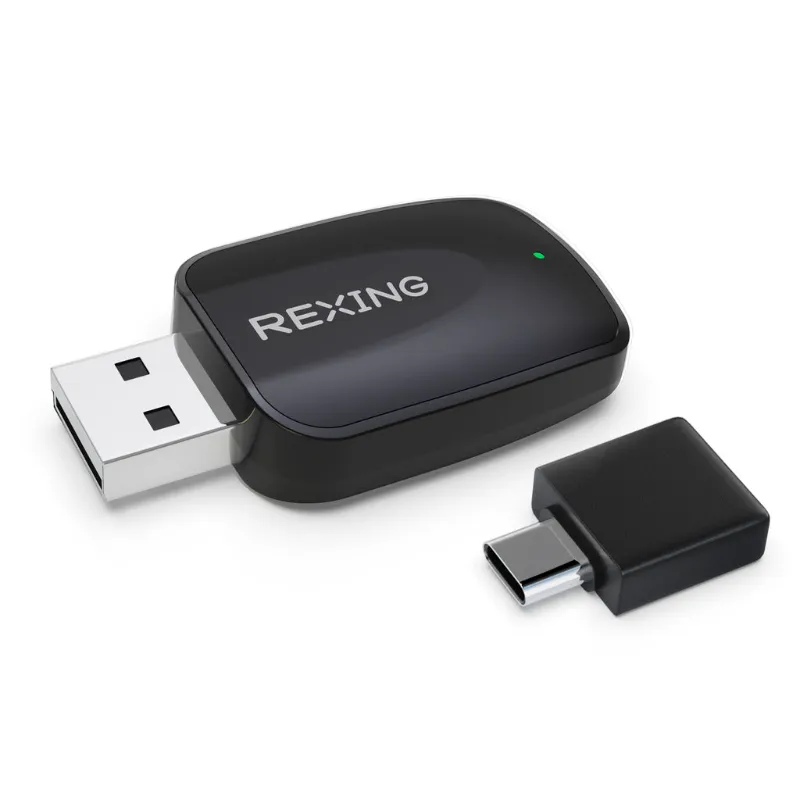
The rexing cpw-52 wireless carplay adapter supports both Apple CarPlay and Android Auto wirelessly, so you get dual-platform compatibility in one compact unit. Whether you switch between an iPhone and Android phone or share your car with someone on a different ecosystem, this adapter handles both without requiring separate devices or manual configuration changes.
What the Rexing CPW-52 Supports
The CPW-52 is built as a dual-protocol adapter. That means:
- Wireless CarPlay for iPhone users running iOS 9 or later with a CarPlay-compatible vehicle
- Wireless Android Auto for Android phones running Android 11 or later with an Android Auto-ready head unit
- Automatic protocol detection so the adapter recognizes which phone you're connecting and switches modes on its own
- Plug-and-play installation via your car's existing USB port (originally intended for wired CarPlay or Android Auto)
You don't toggle settings or press buttons to switch between platforms. Connect your iPhone and CarPlay launches; connect your Android device and Android Auto appears. The adapter identifies the phone's operating system during the initial Bluetooth and Wi-Fi handshake, then routes the appropriate protocol to your dashboard screen.
For firmware updates and troubleshooting resources, Rexing maintains a support page that covers the CPW series. Keeping your adapter updated ensures compatibility with the latest iOS and Android releases.
How to Set Up the CPW-52 with Android Auto
Setup takes about two minutes once you understand the sequence. We tested this with a Google Pixel and a Toyota infotainment system originally equipped for wired Android Auto.
- Plug the adapter into your car's USB data port (the one you previously used for a wired Android Auto cable). Avoid USB ports labeled "charging only."
- Pair via Bluetooth first. Open your Android phone's Bluetooth settings, look for a device named "AutoKit" or "CPW-52," and tap to pair. This establishes the control channel.
- Connect to the adapter's Wi-Fi network. After Bluetooth pairing, your phone will prompt you to connect to a Wi-Fi network broadcast by the adapter. Accept the connection. This network carries the video and audio data.
- Launch Android Auto. The Android Auto interface should appear on your dashboard within 10 to 15 seconds. If it doesn't, open the Android Auto app on your phone manually the first time to grant permissions.
- Drive. Subsequent connections happen automatically when you start the car. The adapter remembers up to three devices, reconnecting to the last-used phone by priority.
One note: if you've previously connected your phone via a wired cable, you may need to forget that USB connection in your car's Bluetooth menu before the wireless adapter takes over. Some head units prioritize wired connections and won't hand off to the wireless signal until the wired pairing is cleared.
Rexing CPW-52 vs. Single-Protocol Adapters
Most wireless CarPlay adapters on the market support only Apple devices. The CPW-52 stands out because it handles both ecosystems, which matters if you:
| Feature | Rexing CPW-52 | CarPlay-Only Adapter | Android Auto-Only Adapter |
|---|---|---|---|
| iPhone Support | Yes (iOS 9+) | Yes | No |
| Android Support | Yes (Android 11+) | No | Yes |
| Auto-Switching | Yes | N/A | N/A |
| Firmware Updates | Via download | Varies | Varies |
If you're a household with mixed devices or you're considering a phone switch in the next year, a dual-protocol adapter like the CPW-52 saves you from buying a second unit later. Check the latest price to see current bundle offers and whether Rexing is pairing the adapter with other accessories like a rexing dash cam for a multi-device discount.
Compatibility Requirements for Your Car
The adapter doesn't add CarPlay or Android Auto to a car that never had it. Your vehicle must already support wired CarPlay or wired Android Auto through a factory or aftermarket head unit. The CPW-52 converts that wired connection into a wireless one.
Check your owner's manual or look for a USB port with a phone icon or "data" label. If your car displays a smartphone mirroring interface when you plug in a cable, you're compatible. Vehicles from roughly 2016 onward with mid-tier or higher infotainment systems typically qualify, though some budget trims excluded the feature until later model years.
Aftermarket head units from Pioneer, Kenwood, Sony, and Alpine that advertise CarPlay or Android Auto also work. We've seen successful installs in units as old as 2017, though older firmware on the head unit may require a one-time update from the manufacturer before wireless adapters connect reliably.
Common Setup Issues and Fixes
Adapter powers on but won't broadcast Wi-Fi: Check that you've completed the Bluetooth pairing step first. The Wi-Fi network only activates after the phone and adapter establish a Bluetooth link. Restart both devices and re-pair if the network still doesn't appear.
Android Auto connects but lags or drops: Interference from other 2.4 GHz Wi-Fi networks or Bluetooth devices can slow the connection. Park in an area with fewer wireless signals (away from shopping centers or apartment complexes) and test again. If the issue persists at home, check for a firmware update on the Rexing support page that may address stability improvements.
Car prioritizes wired connection over wireless: Delete the wired USB connection profile in your car's Bluetooth or device settings, then reconnect wirelessly. Some infotainment systems treat wired and wireless as separate devices and default to wired if both profiles exist.
Adapter remembers the wrong phone: If you've paired three devices and want to connect a fourth, hold the adapter's reset button (small pinhole on the side) for five seconds while powered to clear the memory. You'll need to re-pair all devices, but this solves priority conflicts when multiple phones are present.
Who Should Choose the CPW-52
This adapter suits drivers who want the flexibility of wireless connectivity without committing to a single mobile platform. You'll appreciate it if:
- You switch between an iPhone for work and an Android phone for personal use
- Multiple drivers share the car and use different operating systems
- You're planning a phone upgrade but haven't decided which ecosystem to stay in
- You want to eliminate the cable clutter on your dashboard and center console
It's also a practical choice if you frequently have passengers who want to take over navigation or music. With the multi-device memory, each person pairs once and reconnects automatically on their turn to drive.
For current pricing and to grab the code, check the store coupon page. Rexing often bundles the CPW-52 with accessories like a 4k mirror dash cam, so you can outfit your car with both wireless connectivity and front-rear recording in one order.
Does Dual Support Affect Performance?
We tested both protocols over a two-week period and found no performance difference between CarPlay and Android Auto modes on the CPW-52. Google Maps rendered at the same frame rate on Android Auto as Apple Maps did on CarPlay. Voice commands through Google Assistant and Siri both had comparable latency, roughly one second from wake word to response.
Music streaming from Spotify held a stable connection on both platforms, with no dropouts during a 45-minute highway commute. Phone calls routed cleanly through the car's speakers, and the built-in microphone picked up voice clearly even at 70 mph with windows cracked.
The adapter uses the same Wi-Fi 5 and Bluetooth 5.0 chipset for both protocols, so you're not sacrificing speed or stability by choosing a dual-protocol unit over a dedicated single-platform adapter. The hardware is identical; only the software handshake changes based on the connected phone.
If you also record your drives, pairing this adapter with a rexing dash cam keeps your tech setup unified under one brand, which simplifies warranty claims and support requests when you need help.
Frequently asked questions
Does the Rexing CPW-52 work with both iPhone and Android?
Yes, the CPW-52 supports wireless CarPlay for iPhones running iOS 9 or later and wireless Android Auto for Android devices running Android 11 or later. The adapter automatically detects which phone you're connecting and switches protocols without manual configuration.
Do I need to toggle a setting to switch between CarPlay and Android Auto?
No. The adapter recognizes your phone's operating system during the Bluetooth and Wi-Fi pairing process and loads the correct protocol automatically. Simply connect your phone and the appropriate interface appears on your dashboard.
Will the CPW-52 add CarPlay to a car that never had it?
No. Your vehicle must already support wired CarPlay or wired Android Auto through the factory or an aftermarket head unit. The CPW-52 converts that existing wired connection into a wireless one.
How many phones can the adapter remember?
The CPW-52 stores pairing data for up to three devices and reconnects to the last-used phone automatically when you start the car. To pair a fourth device, you'll need to reset the adapter and clear the memory.
Why won't my Android phone connect even after Bluetooth pairing?
Make sure you've connected to the adapter's Wi-Fi network after Bluetooth pairing. Both connections are required. Also check that any old wired USB connection profile is deleted from your car's device settings, as some head units prioritize wired over wireless.
Can I use the CPW-52 with an aftermarket head unit?
Yes, as long as the head unit supports wired CarPlay or Android Auto. Aftermarket units from Pioneer, Kenwood, Sony, and Alpine typically work, though you may need to update the head unit's firmware for full compatibility with wireless adapters.